IDX Property Pages and Your Squarespace Site
How to make the IDX Broker search results and listing pages look and feel like the rest of your Squarespace site.
Written by IDX Plugin, an independent IDX Broker Developer Partner, not affiliated with IDX Broker.
On this page
In short
- Search results and listing pages match your Squarespace design.
- Your Squarespace header and footer can frame them too.
- Colors and fonts carry from your homepage to a listing.
- Templates come with the IDX Broker Developer Partner assignment.
Where the IDX pages live
The widgets from IDX Plugin for Squarespace sit on your own pages, but the search itself sends visitors to pages IDX Broker generates from your MLS access: the results list, the single property page, contact and valuation forms, saved searches and accounts. They are hosted by IDX Broker and kept up to date from your IDX Broker feed. Our page templates set the layout for those pages, and Global Styles carries your own colors and typography across them.
Put our templates on them
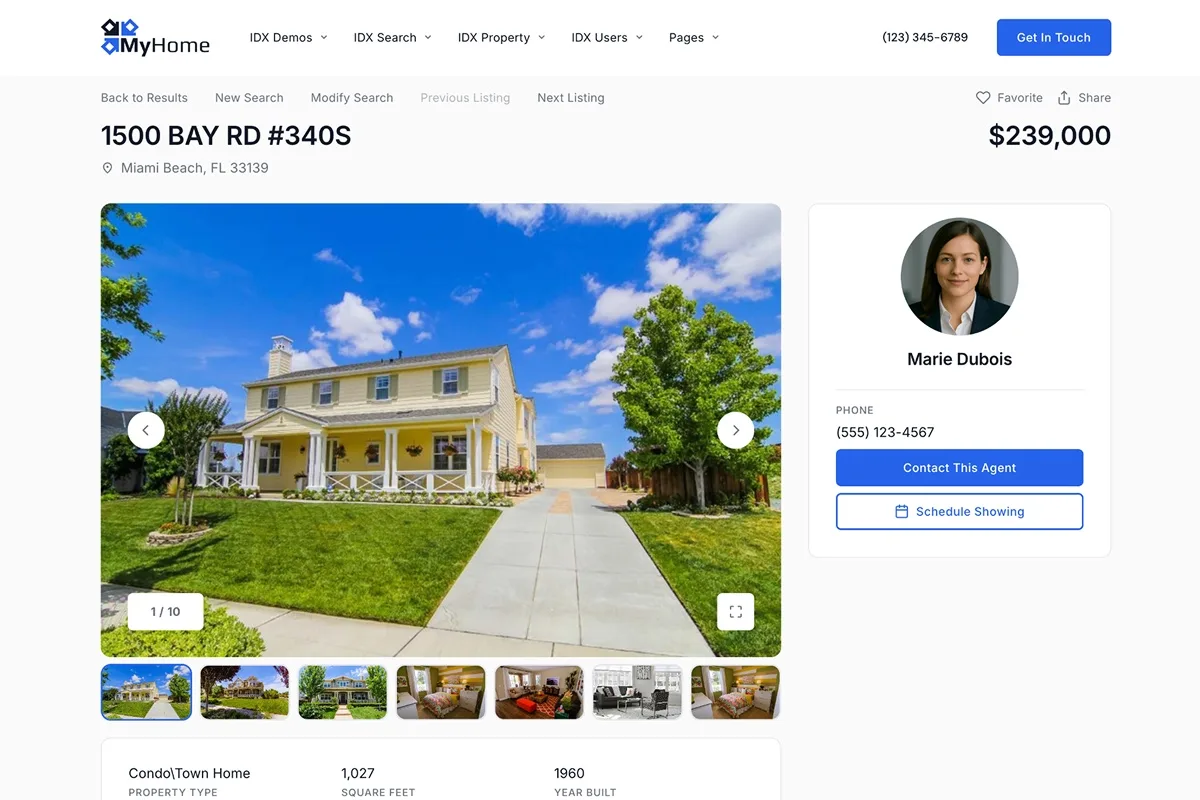
We publish our own templates into your IDX Broker account and you select them page by page, a few minutes of clicking and no code. The image below shows the single property page visitors land on, running on our Details template. Click it to open the live version. Which template goes with which page, and how to switch them, is covered in How Our IDX Broker Templates Work.
Style them to match your Squarespace site
With the templates in place, open Global Styles in your dashboard and set your colors, fonts, spacing and corner radius once. The IDX pages and every widget on your Squarespace pages follow the same settings, so the whole path from your homepage to a single listing reads as one site.
Link the pages from your Squarespace menu
Visitors should be able to reach the search without hunting for it. Add navigation links in Squarespace that point straight at your IDX page URLs, typically Search, Listings and Contact, and place the same links in your footer. The IDX pages carry their own navigation back to the search, so people move between your Squarespace pages and the listing pages naturally.
You already have IDX Broker. The templates are included.
Assign IDX Plugin as your developer partner from the assignment page in your IDX Plugin dashboard, and our templates appear in your account, ready to activate. The assignment can be changed again later. Your MLS access, your listings, your leads and your subscription stay exactly as they are.
Assign us, it's free No extra invoice. You only pay IDX Broker.