Add IDX Plugin Widgets to Your Pages
Put search forms and listings on your MyHome IDX pages, once the theme is connected to IDX Plugin.
Written by IDX Plugin, an independent IDX Broker Developer Partner, not affiliated with IDX Broker.
On this page
In short
- Put a search form or listings on any WordPress page.
- Change a widget once and every page using it follows.
- Auto keeps the spot filled if a widget is removed.
- Check the result on the published page, not in the editor.
What you can place
Once MyHome IDX is connected to IDX Plugin, one Elementor widget places anything on your IDX Plugin account. That covers search forms in five layouts, the AI-powered search and listing widgets like showcases and carousels, all running on the data from your IDX Broker account.
See what your account holds
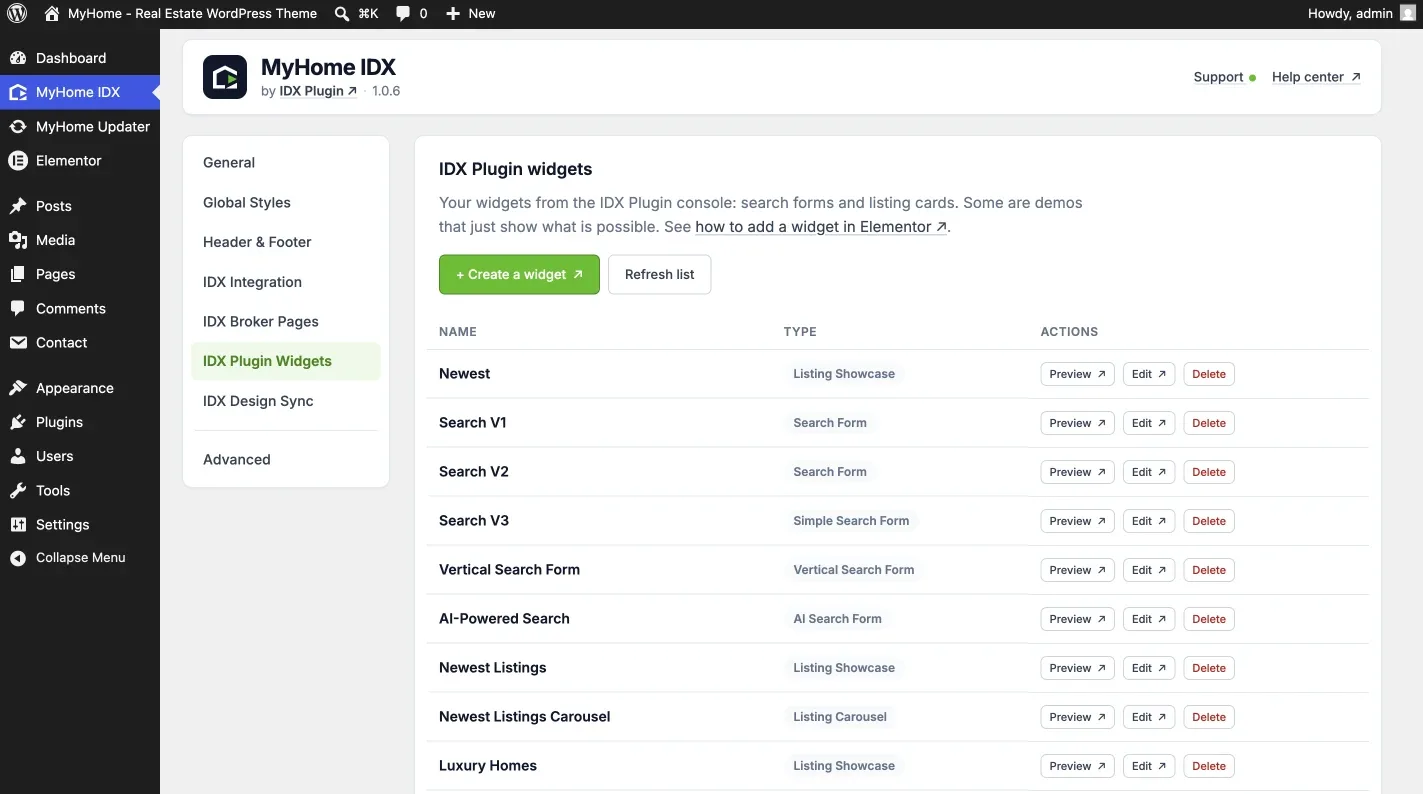
Open MyHome IDX in the WordPress menu, then IDX Plugin Widgets, for every widget on your account with its type. Preview opens one on its own, Edit opens it in your IDX Plugin account and + Create a widget starts a new one there.
Add a widget in Elementor
-
1
Drag the IDX Plugin widget onto your page
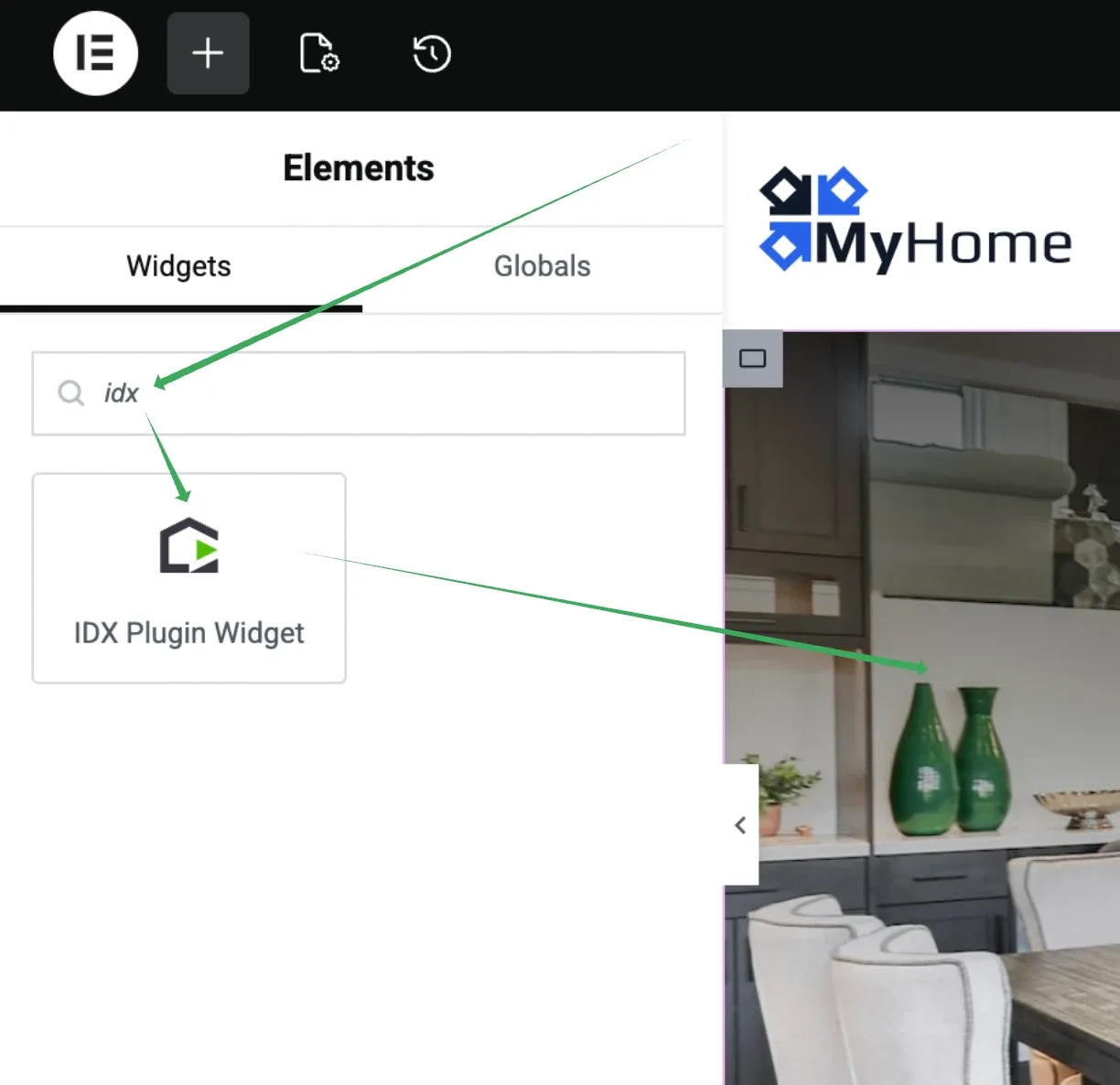
Open the page in Elementor, search for IDX Plugin in the widget panel and drag it where you want it.
-
2
Pick the widget type, then the widget
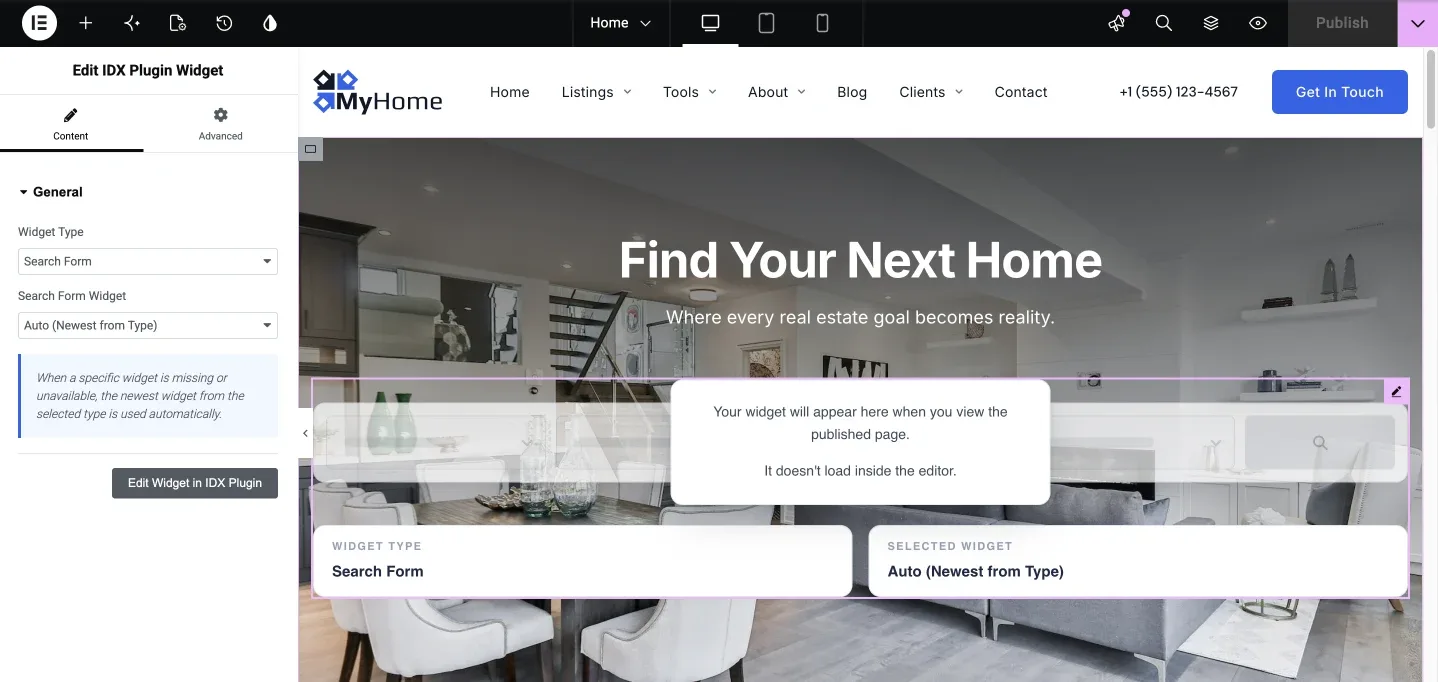
Widget Type comes first, and the second dropdown then lists the widgets of that type on your account.
-
3
Publish the page
Click Update and open the page on the front end. Inside Elementor the spot shows a notice instead of the widget, because the IDX embed runs on the live page.
Auto
The second dropdown opens on Auto (Newest from Type). Left that way, the spot renders the newest widget of the type you chose, and keeps rendering something if the widget it was using is deleted. Pick a named widget when the page needs that exact one.
Editing and removing widgets
The widgets themselves live in your IDX Plugin account. Change a form's fields or a carousel's listings and every page using that widget picks up the change. If a widget you placed is removed, another widget from the same group loads in its place.
Want us to place them for you?
Tell us which pages should get a search form or listings and we set them up, styled to your brand. It's free with your IDX Broker account, and you review everything before it goes live.
Contact us Support runs by email.