Connect MyHome IDX to IDX Plugin
The connection that turns the placeholders on your MyHome IDX site into a working search and your own listings.
Written by IDX Plugin, an independent IDX Broker Developer Partner, not affiliated with IDX Broker.
On this page
In short
- The placeholders become a working search and your own listings.
- You start in wp-admin and confirm the connection on idxplugin.com.
- Three IDX screens join the MyHome IDX panel once it is live.
- You need an IDX Broker account and a free IDX Plugin account.
What the site shows before connecting
Every search form and listing section on the imported demo is an outline of what is coming.
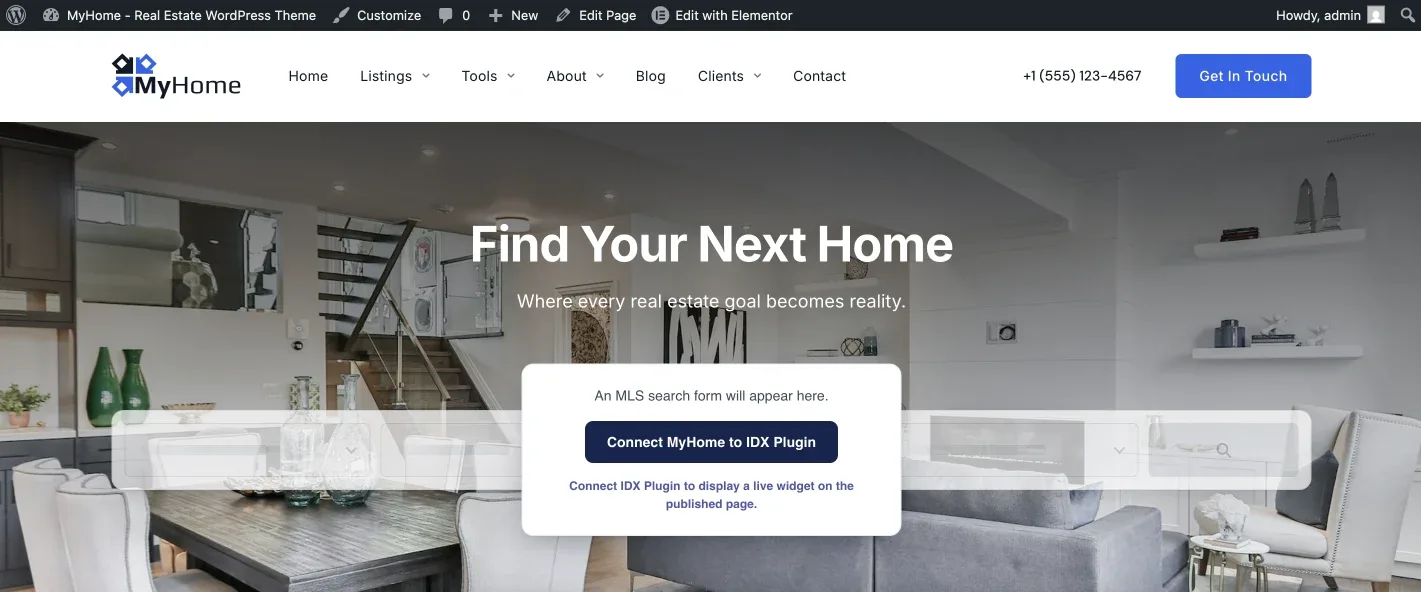
The same happens in every listing section on the page.
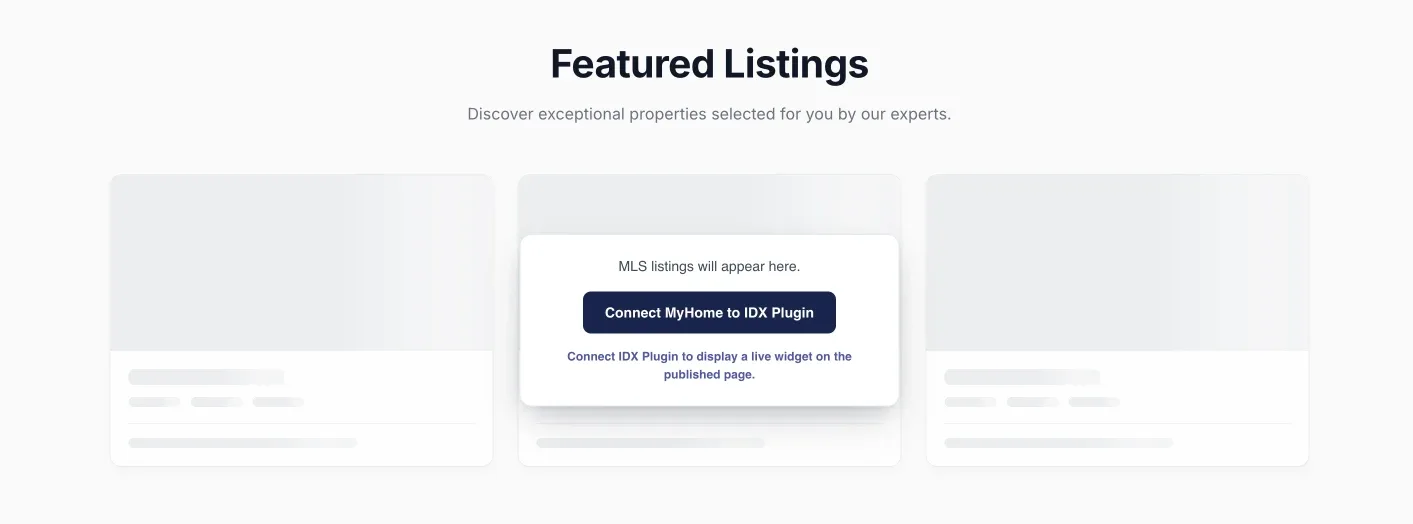
Start in wp-admin
-
1
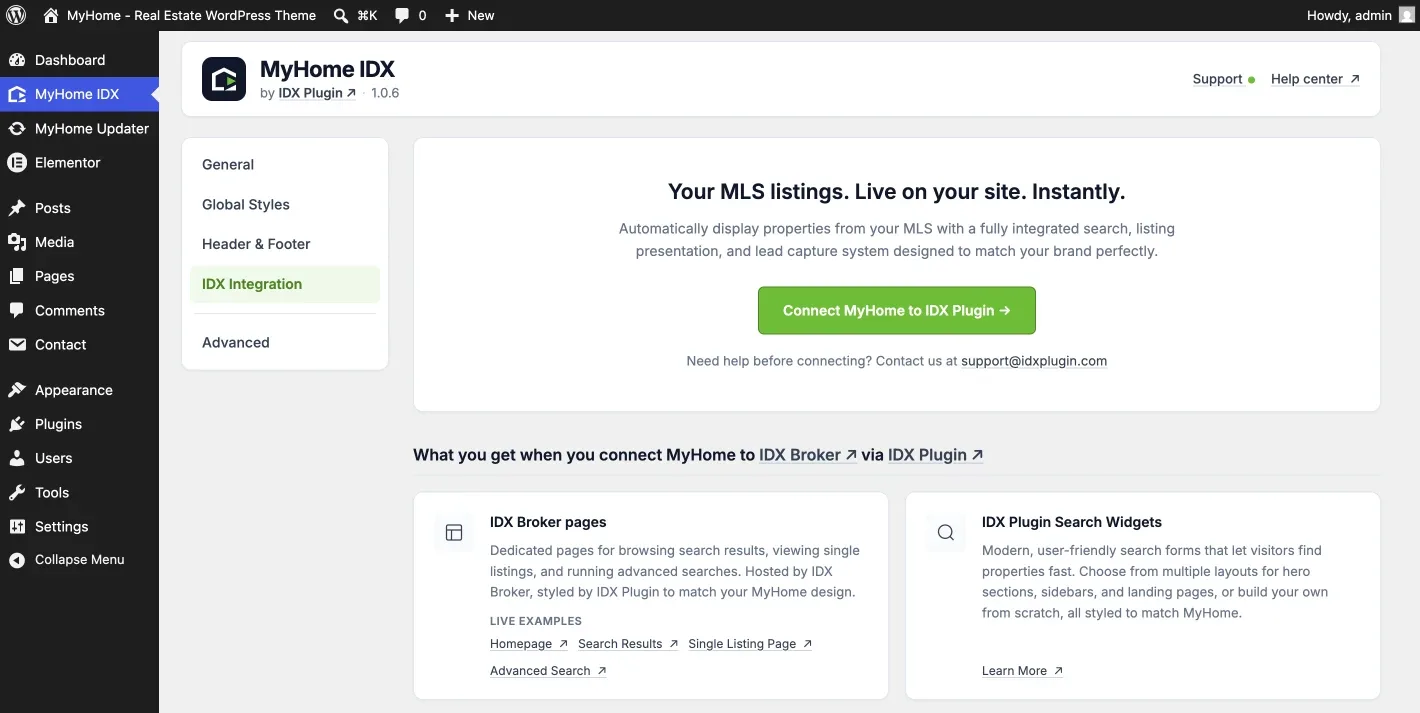
Open the IDX Integration screen
MyHome IDX in the WordPress menu on the left, then IDX Integration in the panel menu.
-
2
Click Connect MyHome to IDX Plugin
The button takes you to idxplugin.com, where you sign in to your IDX Plugin account or create one.
What idxplugin.com asks for
If your IDX Plugin account already has your IDX Broker API key on it, this is the screen you get. It shows which site is being linked to which IDX Plugin account, and Confirm Connection finishes the job.
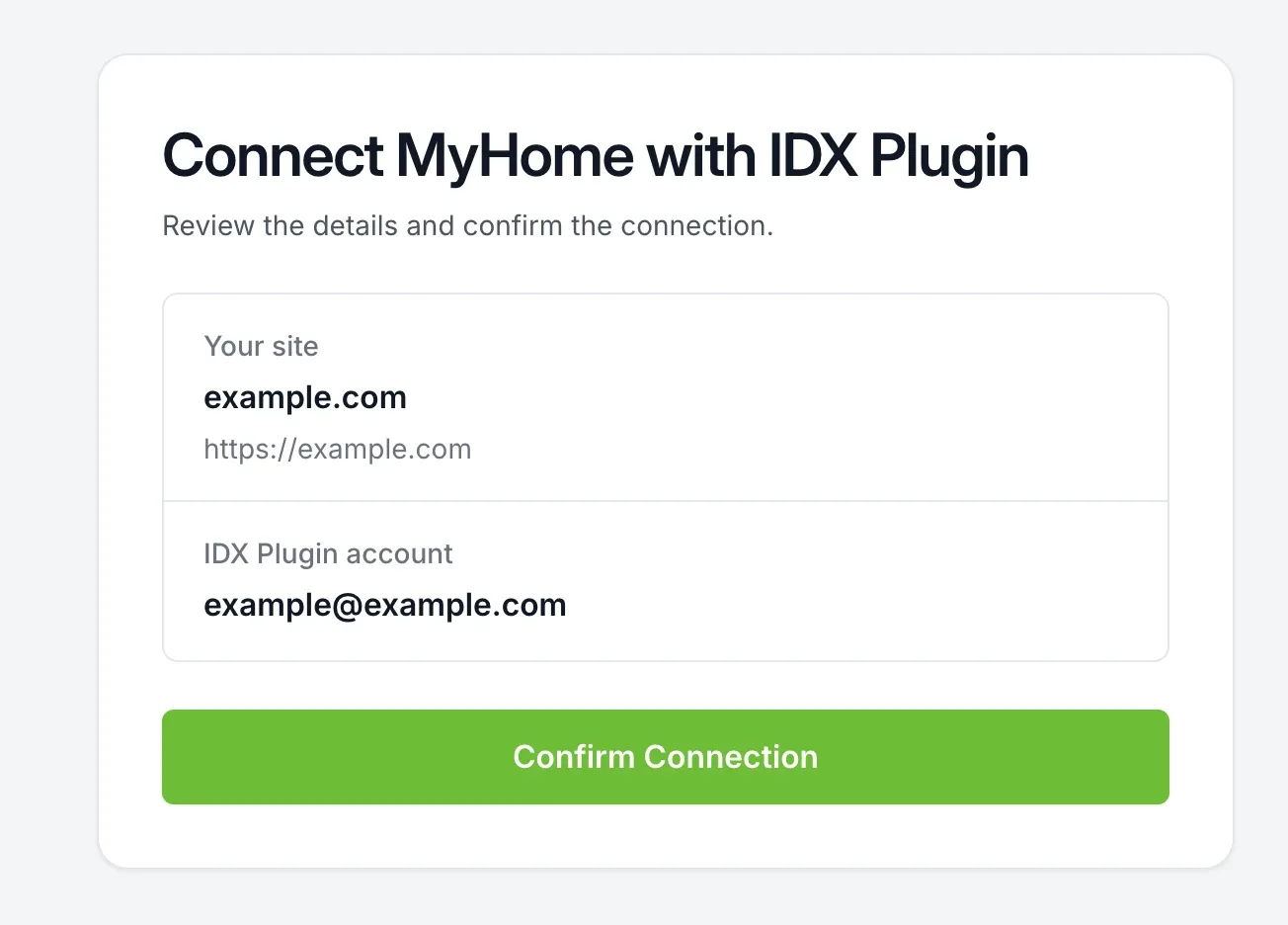
If there is no key on the account yet, you are asked to paste it first, and the on-screen instructions show where it sits in IDX Broker.
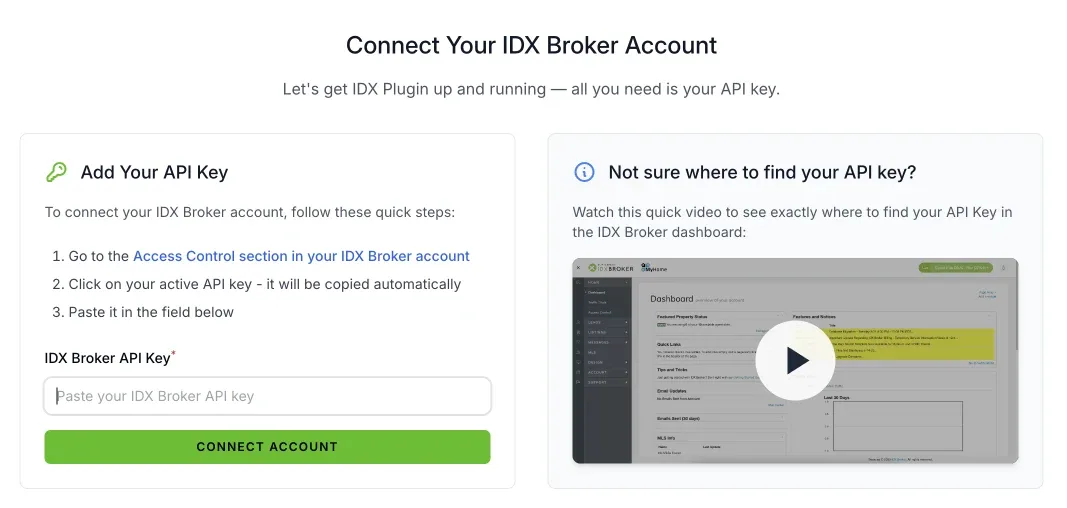
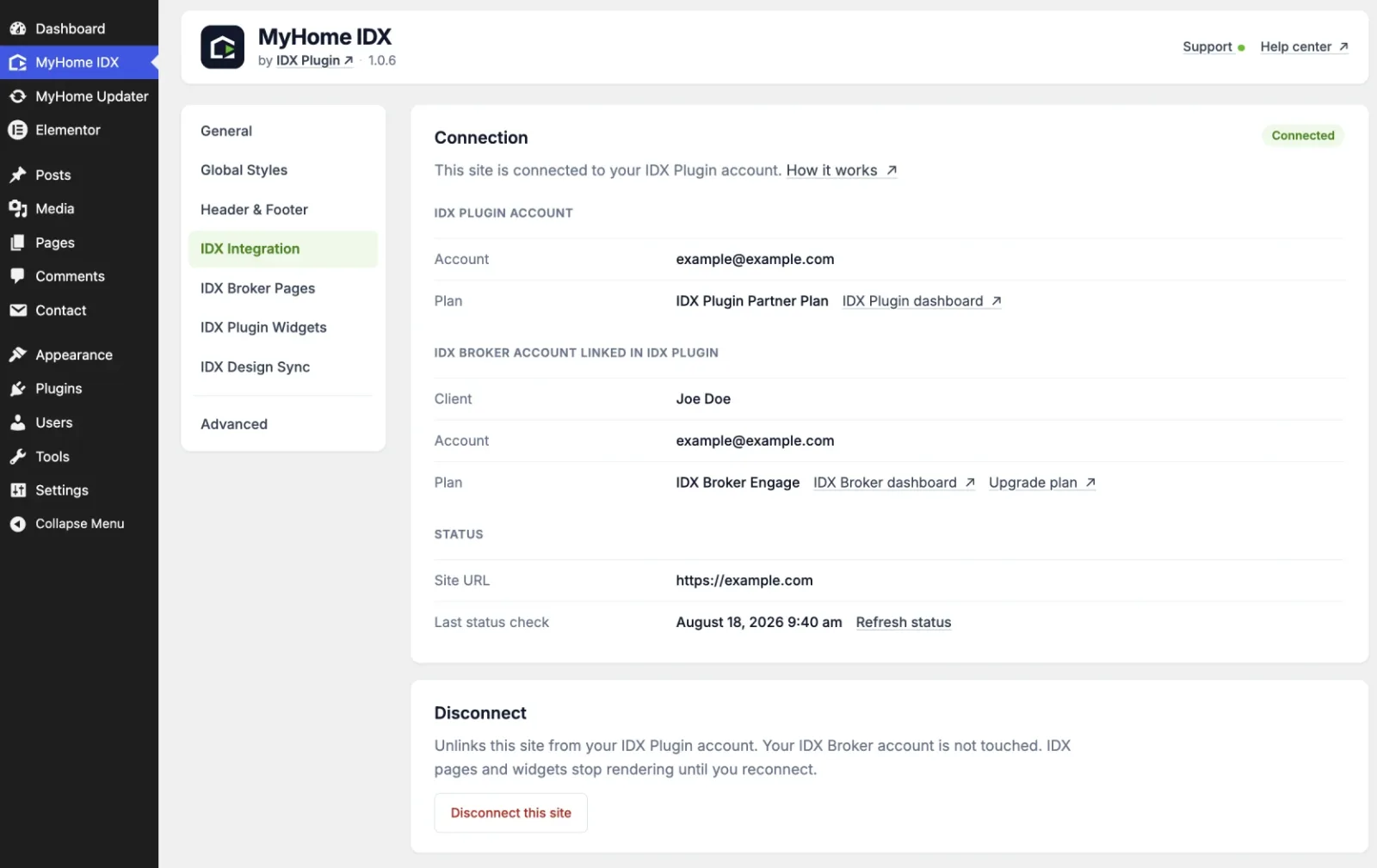
Back in WordPress
Either way you land back in the MyHome IDX panel with a green Connected badge, your account details, and three new entries in the panel menu on the left.
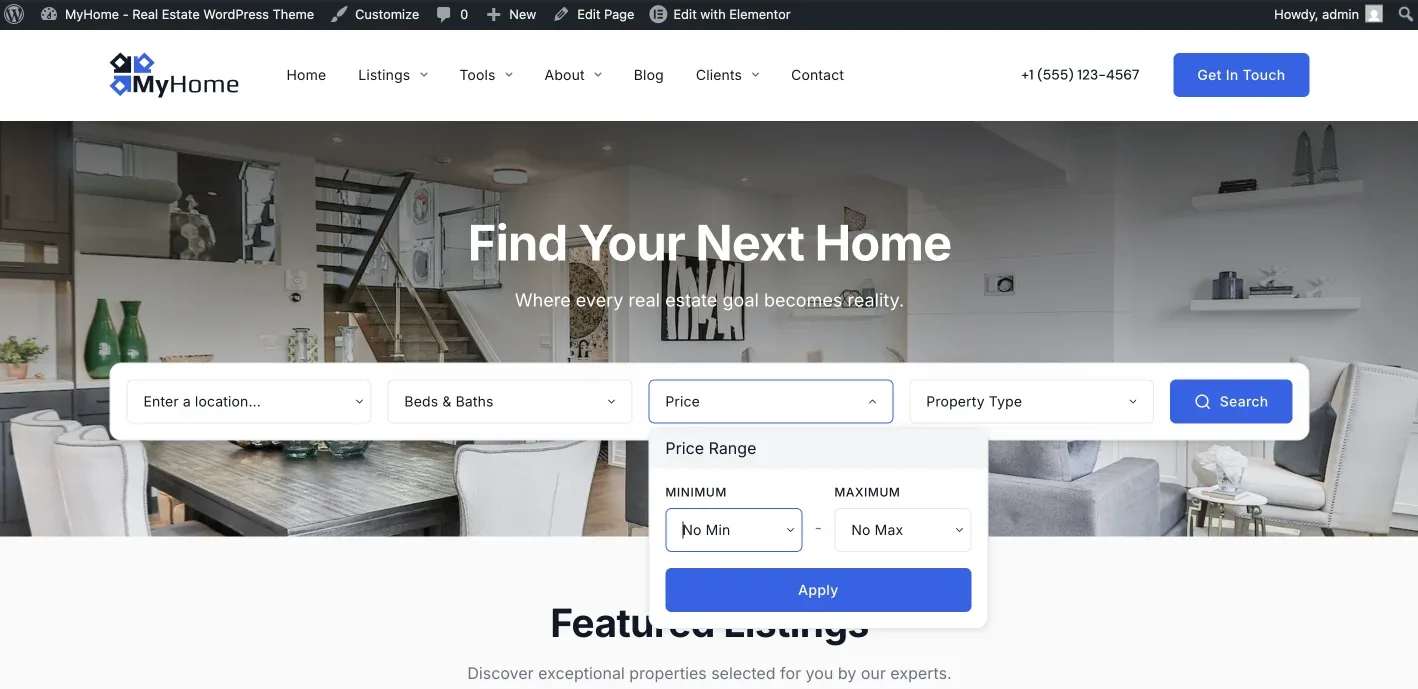
Open the site and the outlined hero is a working search form.
Three new screens in the MyHome IDX panel
They sit in the panel menu, under IDX Integration, and each has its own article.
- IDX Broker Pages pairs every IDX Broker page with the template it should use. See Your IDX Broker Pages in MyHome IDX.
- IDX Plugin Widgets lists your search forms and listing widgets, and you place them with one Elementor widget. See Add IDX Plugin Widgets to Your Pages.
- IDX Design Sync sends your Elementor design to IDX Plugin so the IDX side matches the site. See Global Settings in MyHome IDX, and How They Reach IDX.
Want us to connect it for you?
Write to us and we set up the connection, the templates and the styling on your site. It's free with your IDX Broker account, and you review everything before it goes live.
Contact us Support runs by email.