Thanks For Trying Out MyHome IDX!
Your download should begin shortly. If it doesn't, please click here.
The file is myhome-idx.zip, ready to upload to WordPress exactly as it is.
How to get started
-
1
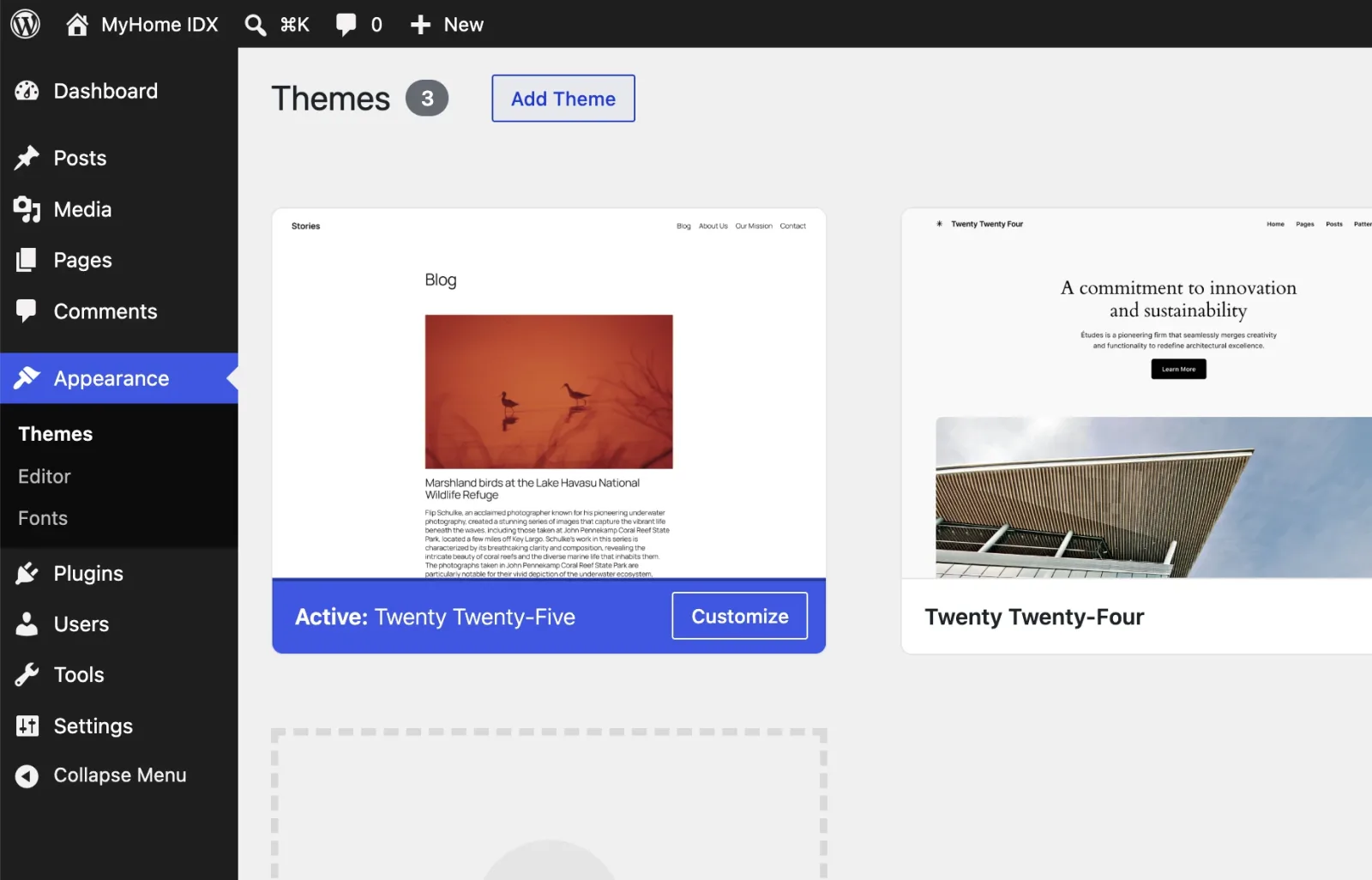
In WordPress go to Appearance › Themes and click Add Theme.
-
2
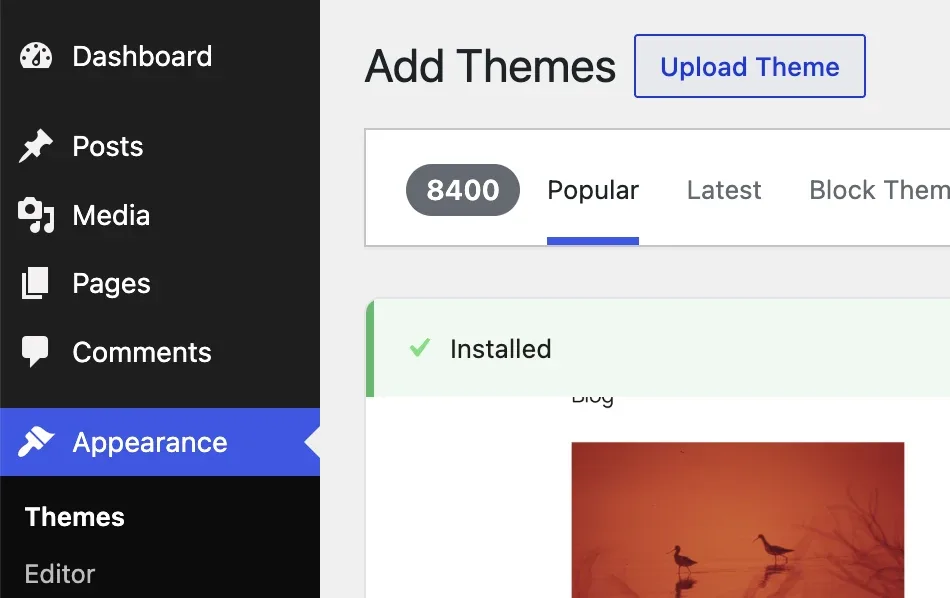
Click Upload Theme.
-
3
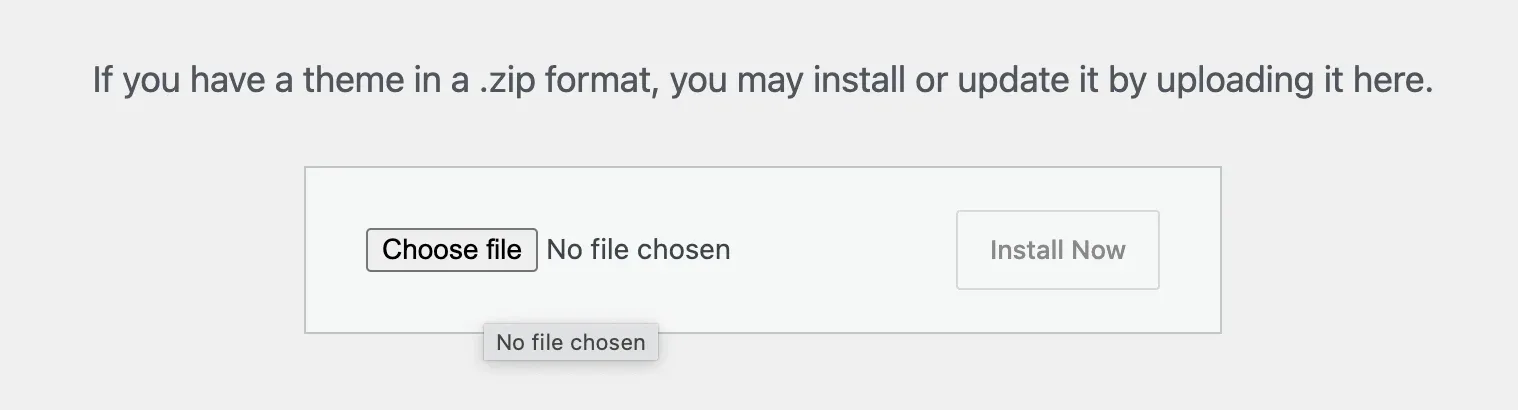
Click Choose file.
-
4
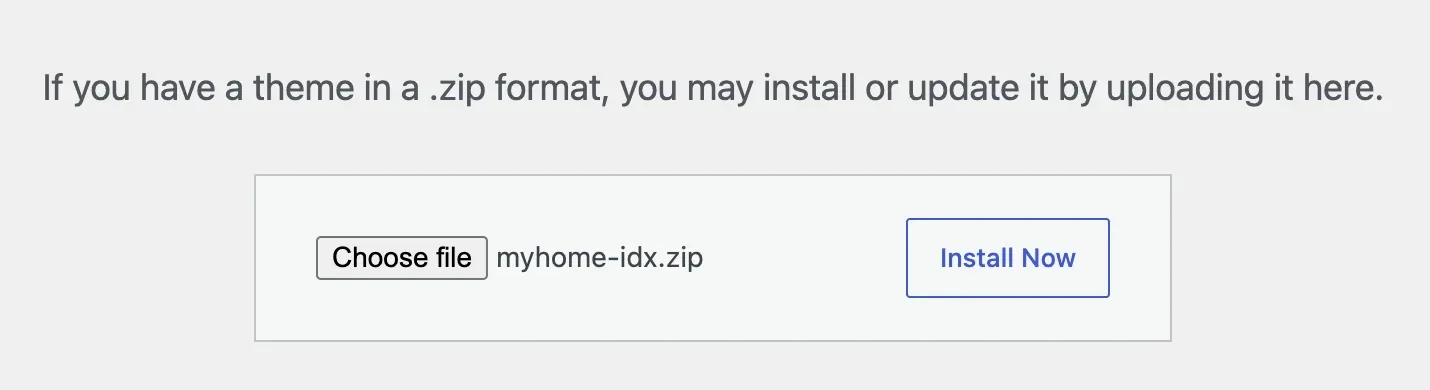
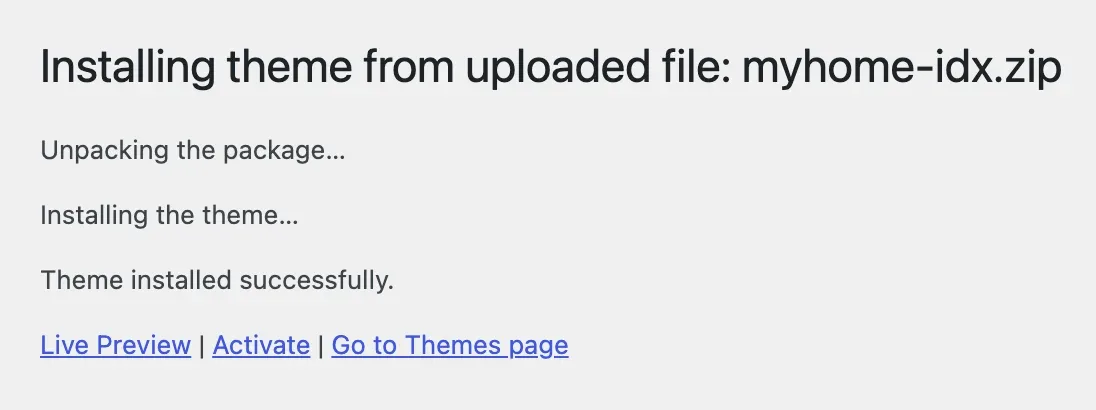
Pick myhome-idx.zip and click Install Now.
-
5
Click Activate.
-
6
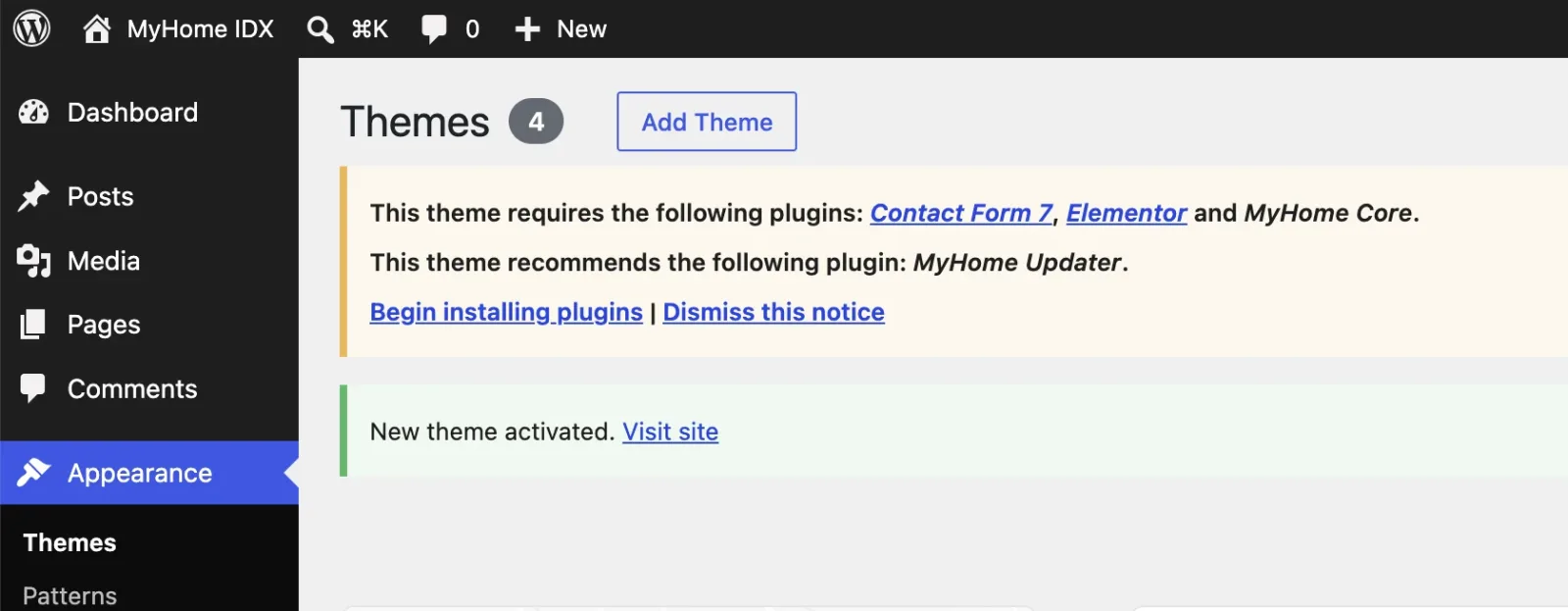
A notice lists the four plugins the theme needs. Click Begin installing plugins.
-
7
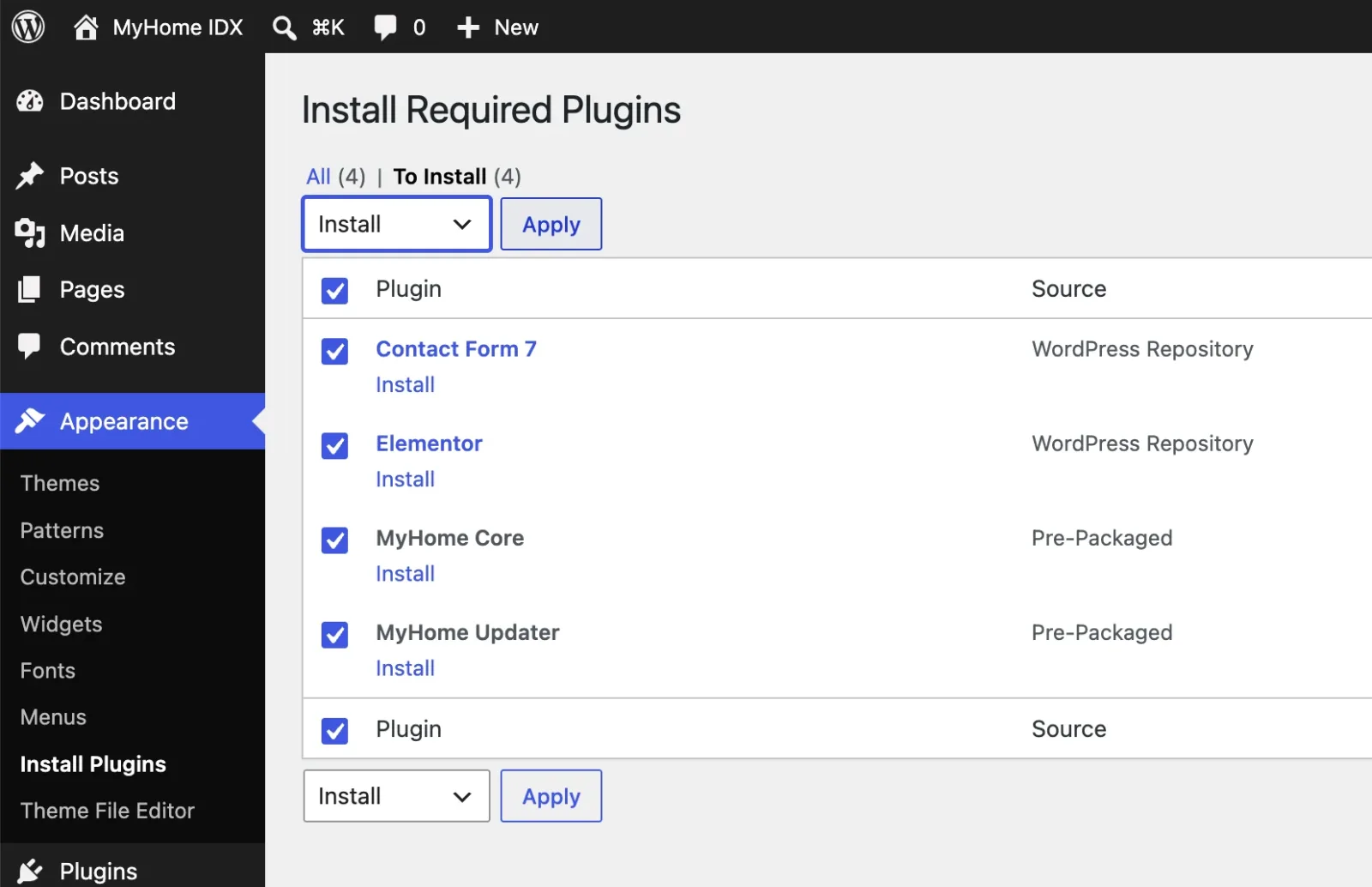
Select all four, choose Install and click Apply.
-
8
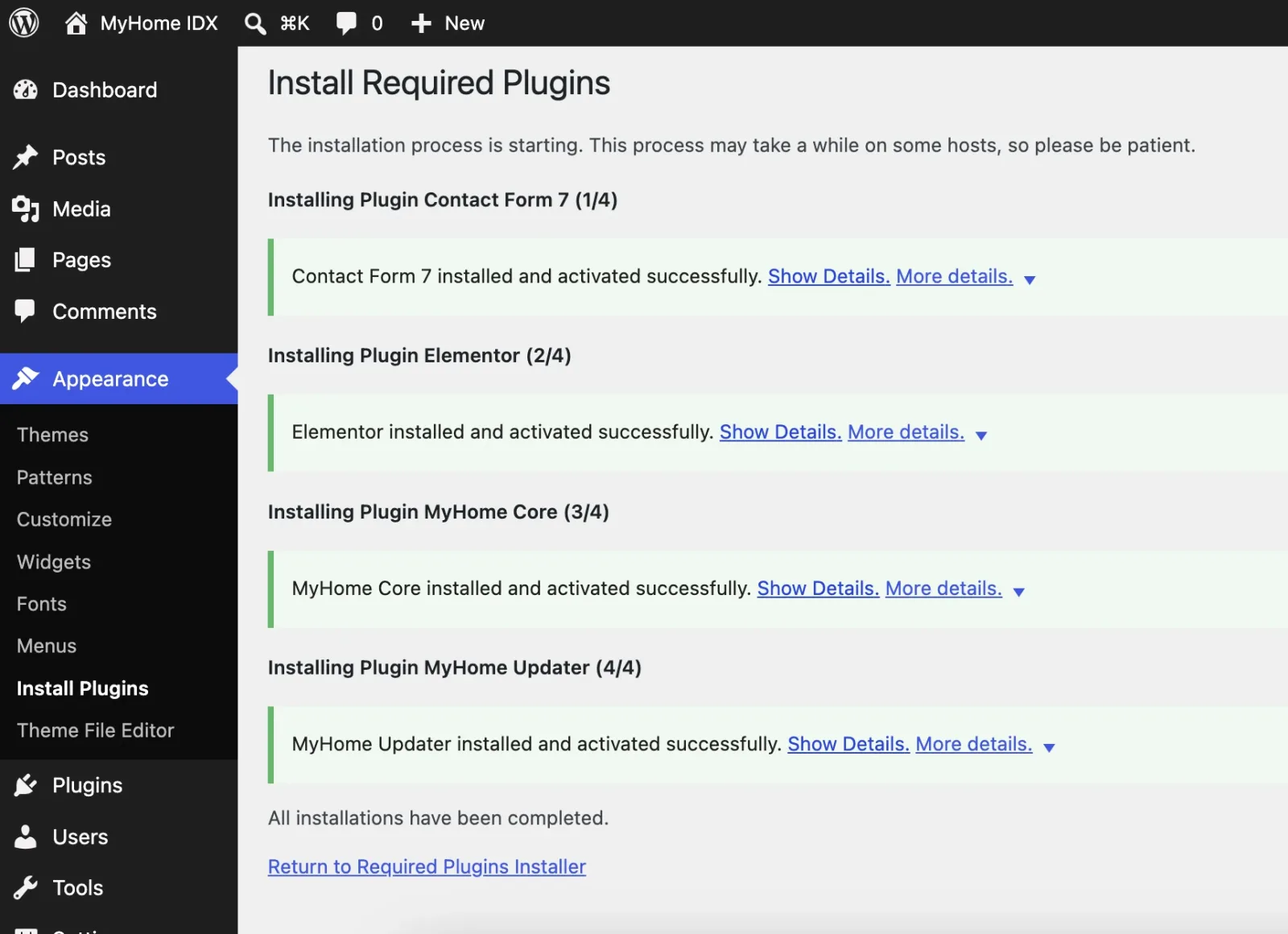
Let it finish, then click Return to Required Plugins Installer.
-
9
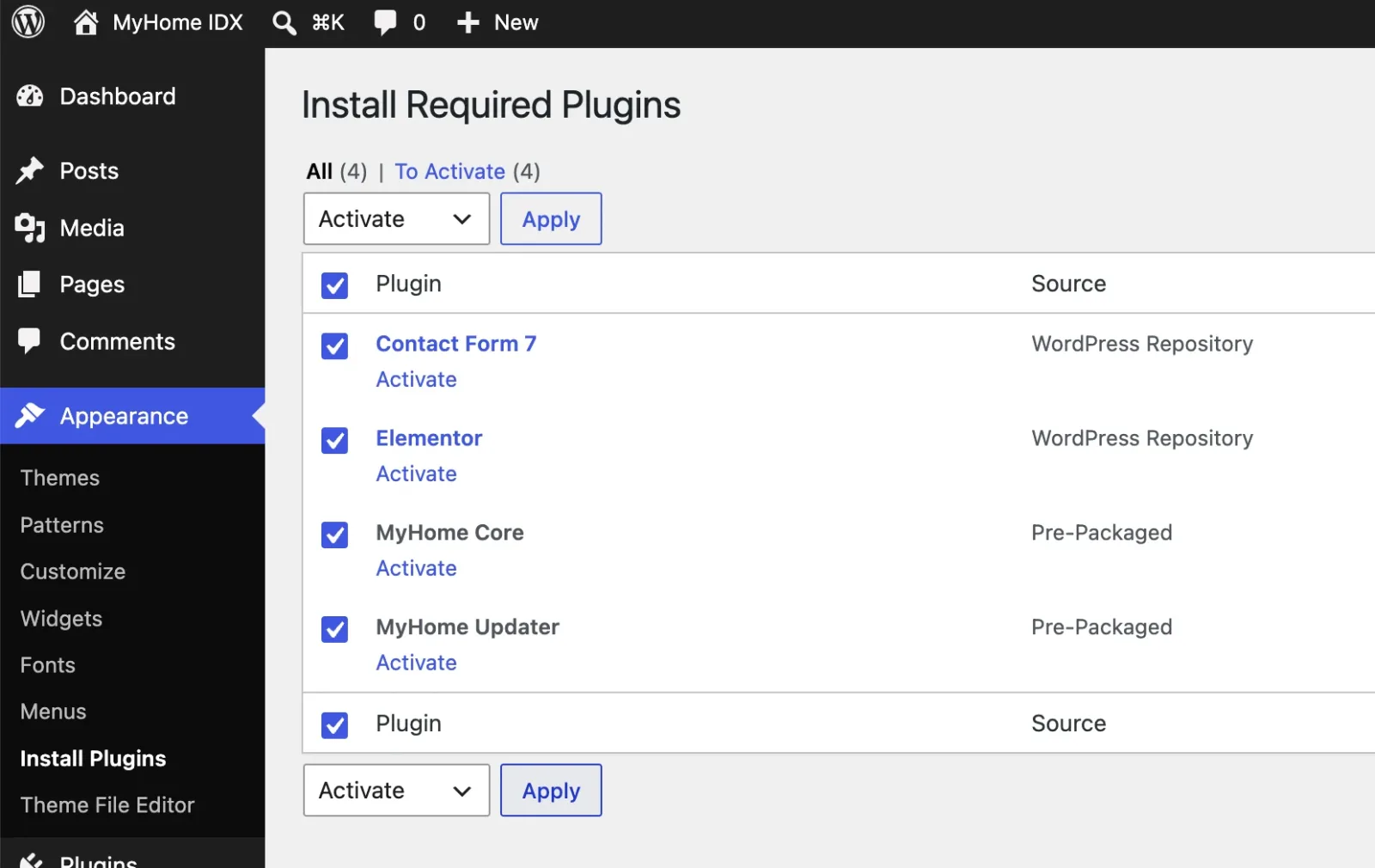
Select all four again, switch to Activate and click Apply.
-
10
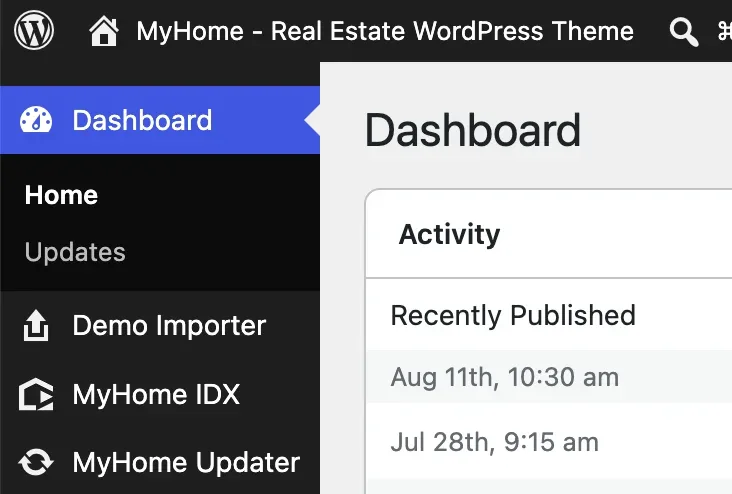
Click any item in the WordPress menu on the left, Dashboard for example. The page reloads and three new theme items appear there: Demo Importer, MyHome IDX and MyHome Updater.
-
11
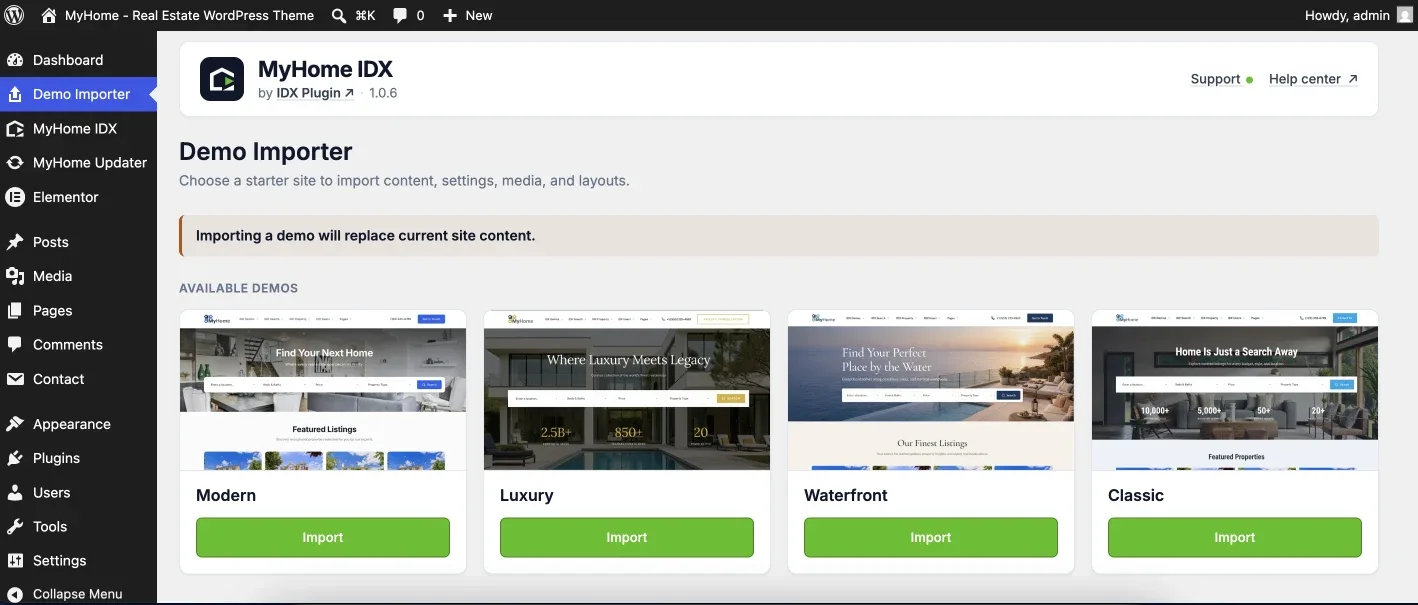
Open Demo Importer and pick a starter site.
-
12
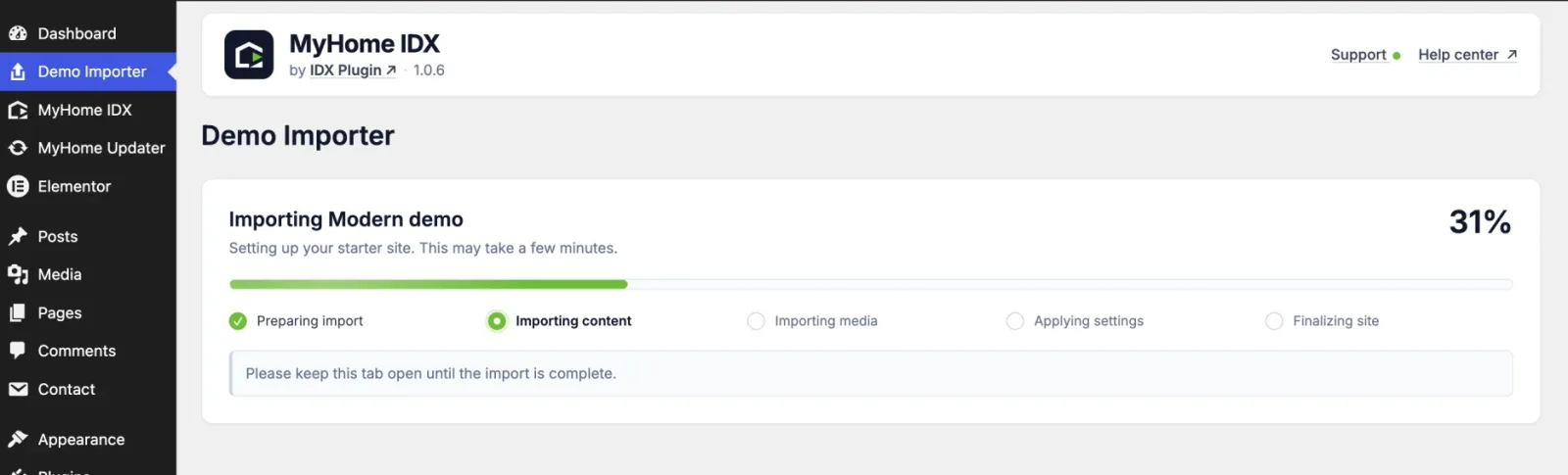
Click Import and keep the tab open until it finishes.
-
13
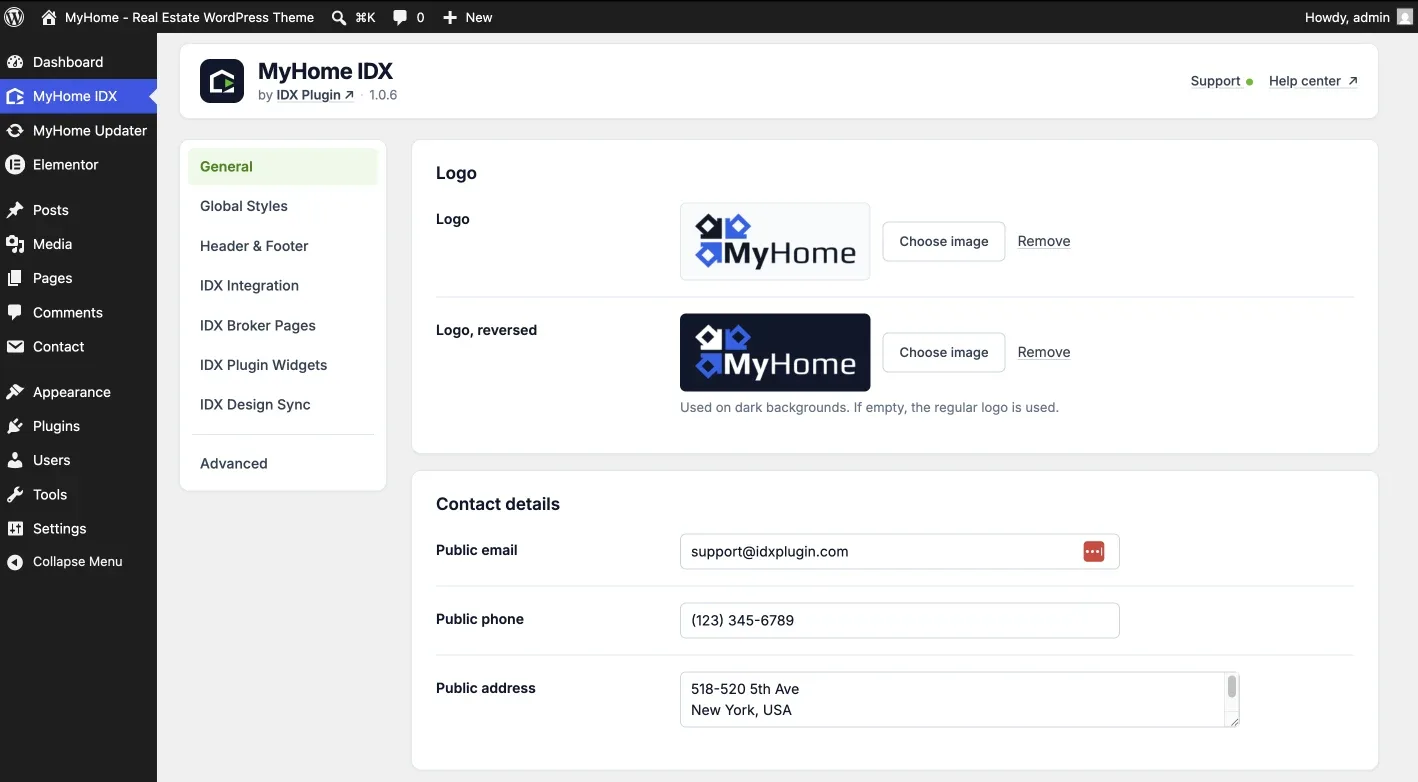
It ends on the MyHome IDX panel, where you set the logo and your contact details.
-
14
What you do next is up to you. Style the site, or connect IDX and see your own listings on it.
Ready to Put IDX on Your Website?
The site you have, or one we build from scratch.