Add an IDX Search Form to Squarespace
The click-by-click way to put an IDX search form on a Squarespace page, running on the data from your IDX Broker account.
Written by IDX Plugin, an independent IDX Broker Developer Partner, not affiliated with IDX Broker.
In short
- Any search form layout runs on your Squarespace page.
- The whole form fits once the block is wide enough.
- Safe Mode shows the finished form before you save.
- Needs a paid Squarespace plan and a free IDX Plugin account.
The search form on a Squarespace page is one task from IDX Plugin for Squarespace. Any layout from Search Forms, Every Layout Explained works here, and the embed steps follow the same pattern. You need a free IDX Plugin account with your IDX Broker API key added, because that is where the embed code lives. You also need a paid Squarespace plan that allows adding code.
Here is the form itself, running live. This is what lands on your Squarespace page once you paste the code.
Embed the form on your page
-
1
Add an Embed block
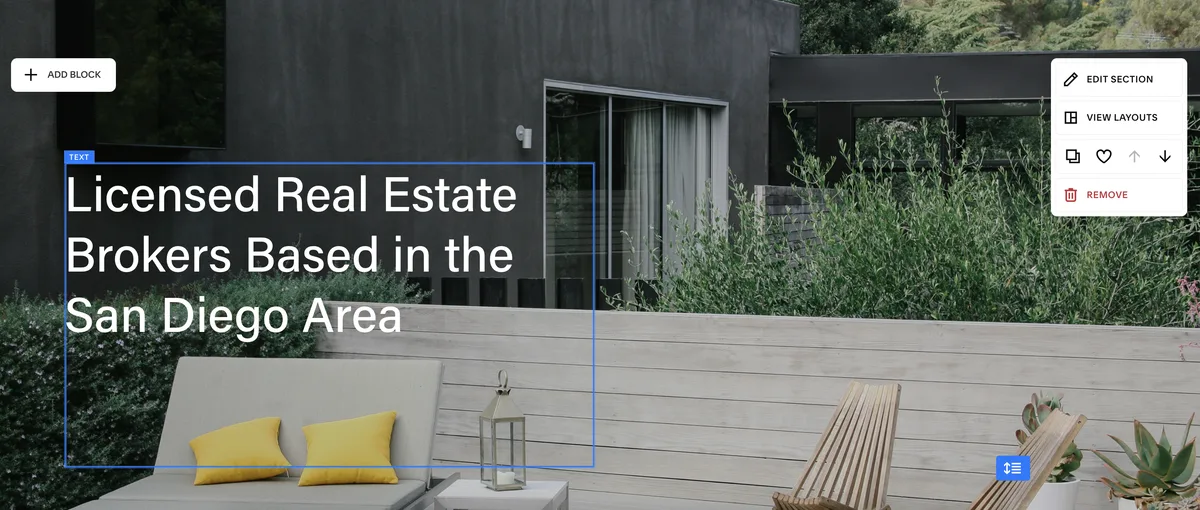
Open your Squarespace page editor, click + Add Block, search for "Embed" and add it. The hero section or the area just below it is the usual spot.
-
2
Resize the block
Grab the edge of the embed area and stretch it wide enough to fit the full width of the search form.
-
3
Get your embed code
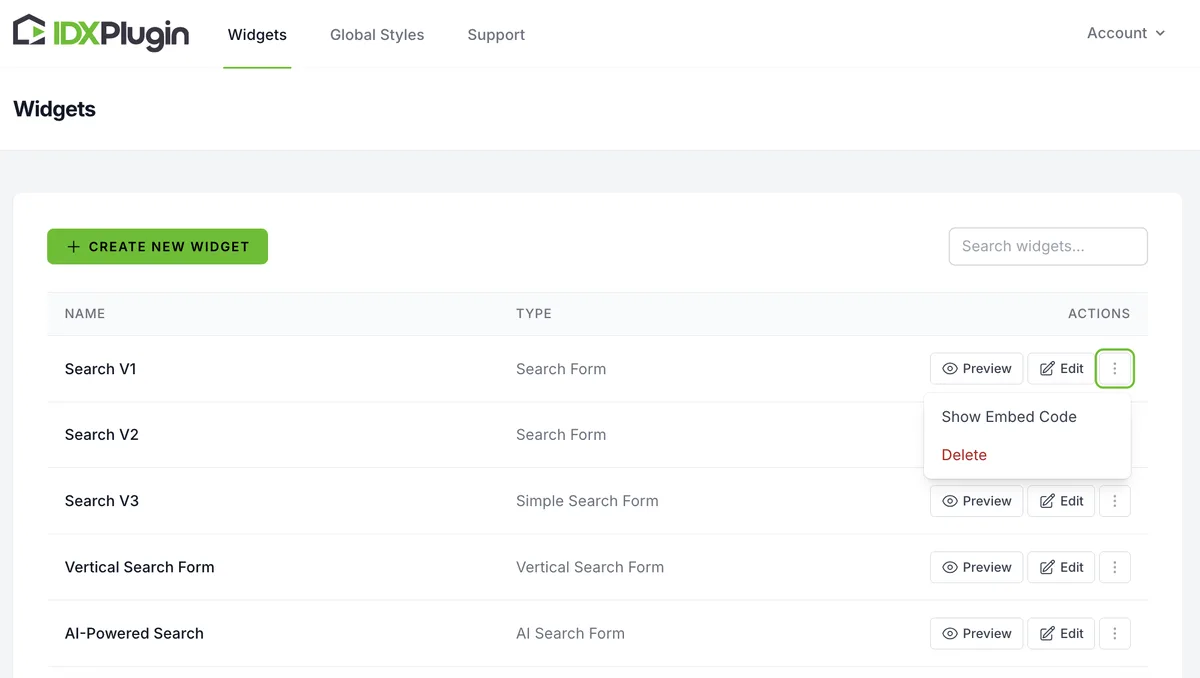
In a new tab, open your IDX Plugin dashboard. Find the search form widget you want and click Show Embed Code.
-
4
Copy the code
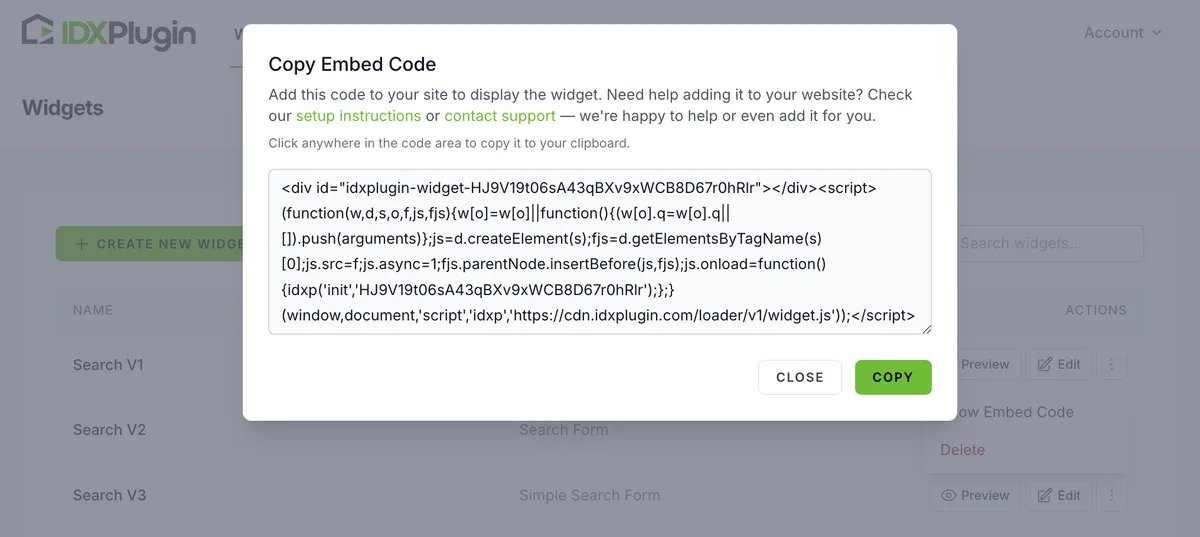
Copy the snippet from the popup.
-
5
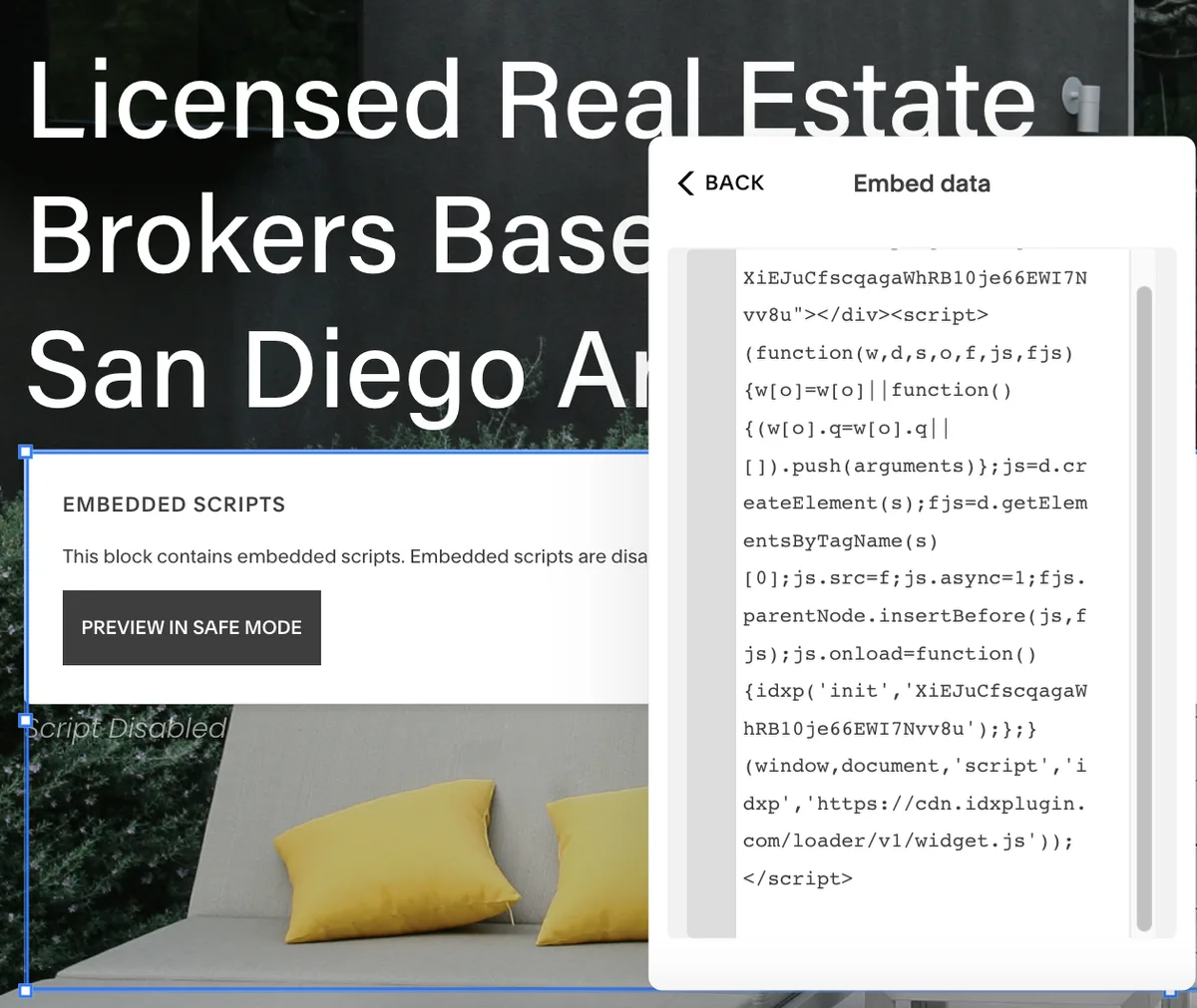
Open the code field
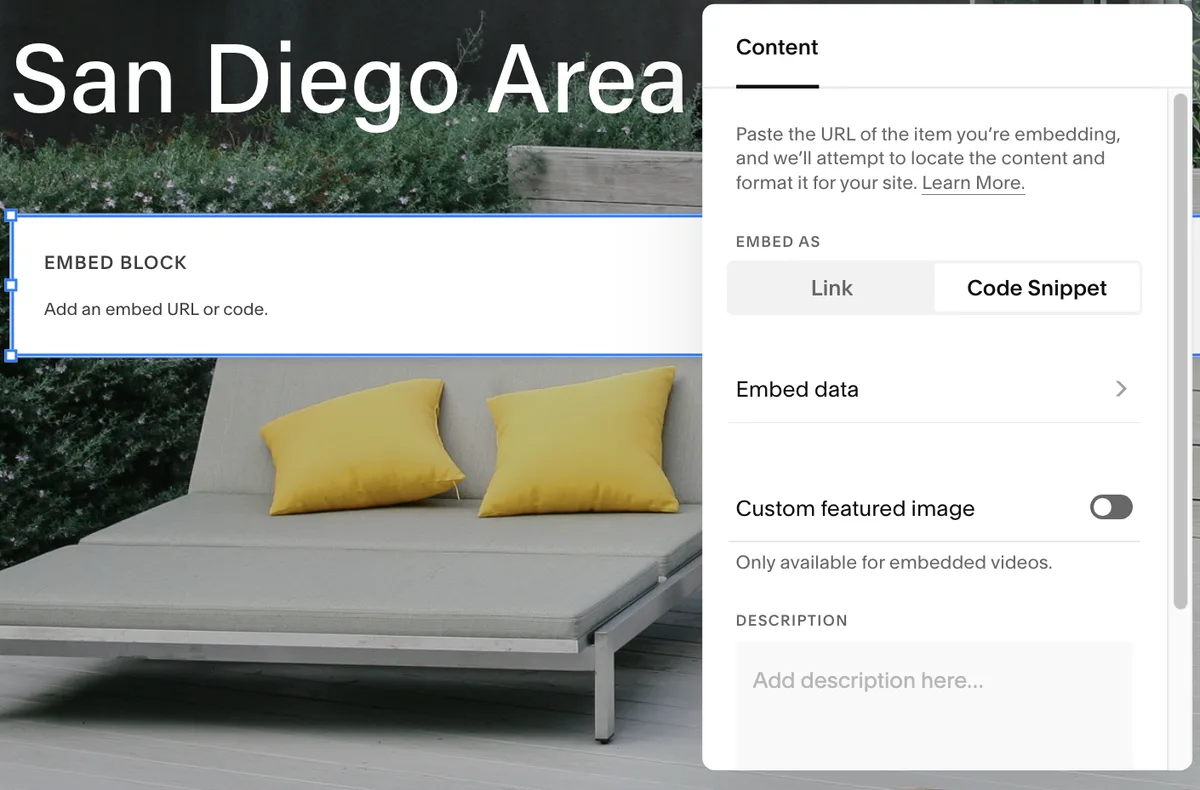
Back in Squarespace, click the Embed block, then select Code Snippet and Embed Data.
-
6
Paste the code
Paste the code into the embed field.
-
7
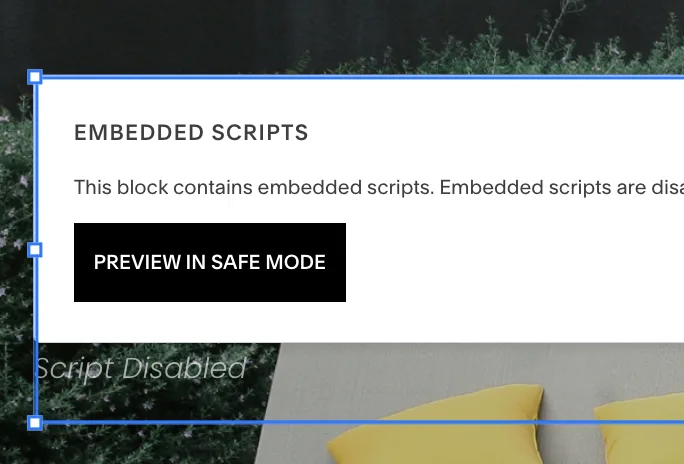
Preview
Click Preview in Safe Mode to see how it looks.
-
8
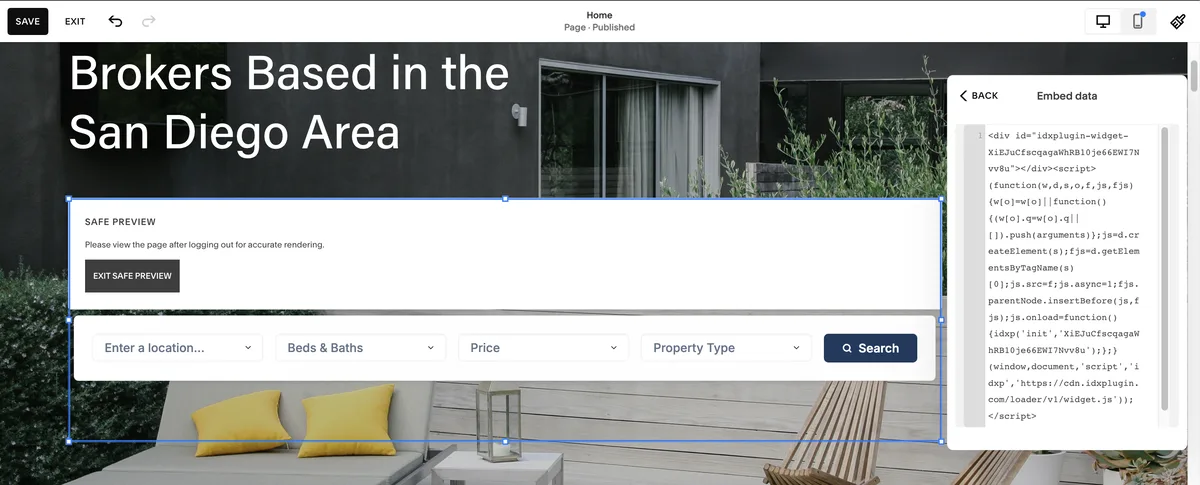
See it live
Save the page and open it. The search form now sits directly on your Squarespace page, running on the data from your IDX Broker account.
Where the search sends visitors
Every search leads to the pages generated from your IDX Broker account: results, single listings, lead forms. Making those pages match your site is its own short task, covered in IDX Property Pages and Your Squarespace Site, with our IDX Broker templates doing most of the work. You can see the search form live on our demo site.
Already on IDX Broker?
Create a free IDX Plugin account, add your IDX Broker API key and your search forms are ready to embed, styled to your brand. If you prefer, tell us where the form should go and we place it for you.
Get the widgets, it's free No extra invoice. You only pay IDX Broker.